WinPrint
A modern take on the classic source code printing app from 1988.
Advanced source code, html, markdown, and text file printing for terminals (all platforms) and Windows/macOS GUIs.
Features
- Beautifully Prints:
- Source code in hundreds of programming languages with syntax highlighting and line numbering.
- HTML files.
- Markdown files as formatted documents (headings, lists, blockquotes, code blocks, mermaid diagrams, and inline images).
- ANSI-encoded text and colorized console captures (
.ans/.ansi), decoding ANSI escape sequences to color.
- Saves trees printing “multiple-pages-up” on one piece of paper.
- Complete control over page formatting options, including headers and footers, margins, fonts, page orientation, etc.
- Headers and Footers support detailed file and print information macros with rich date/time formatting.
- Sheet Definitions make it easy to save settings for frequent print jobs.
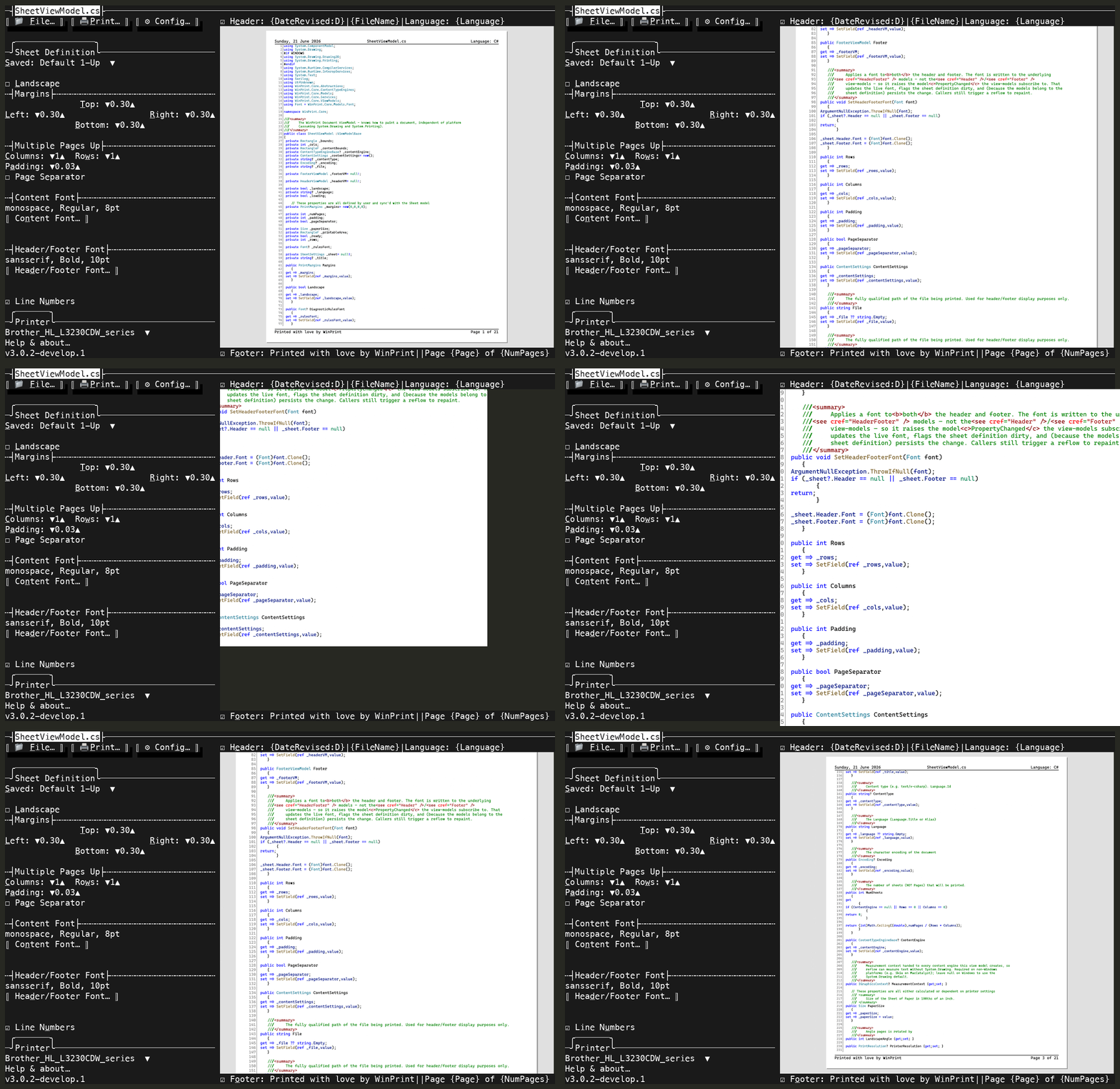
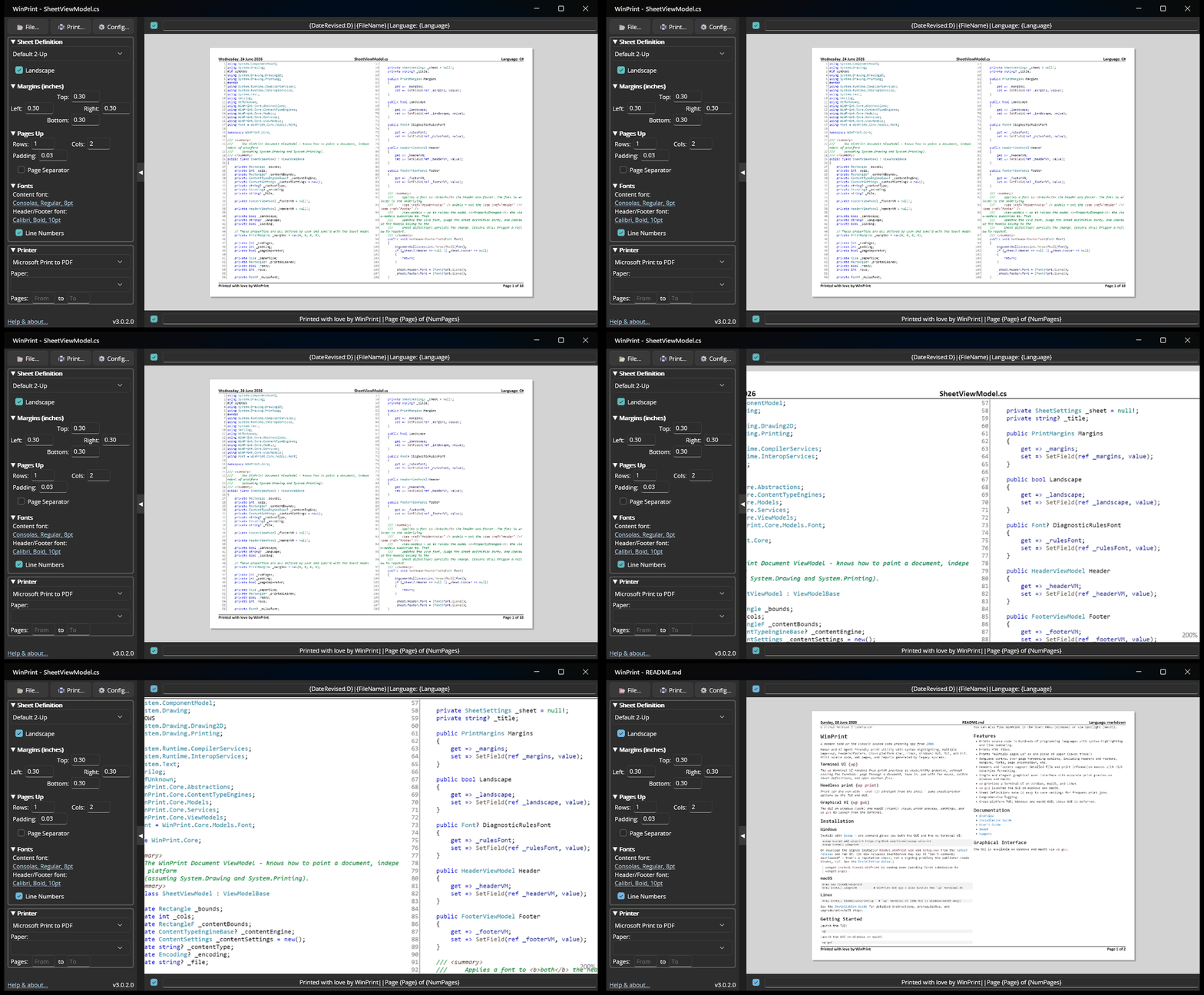
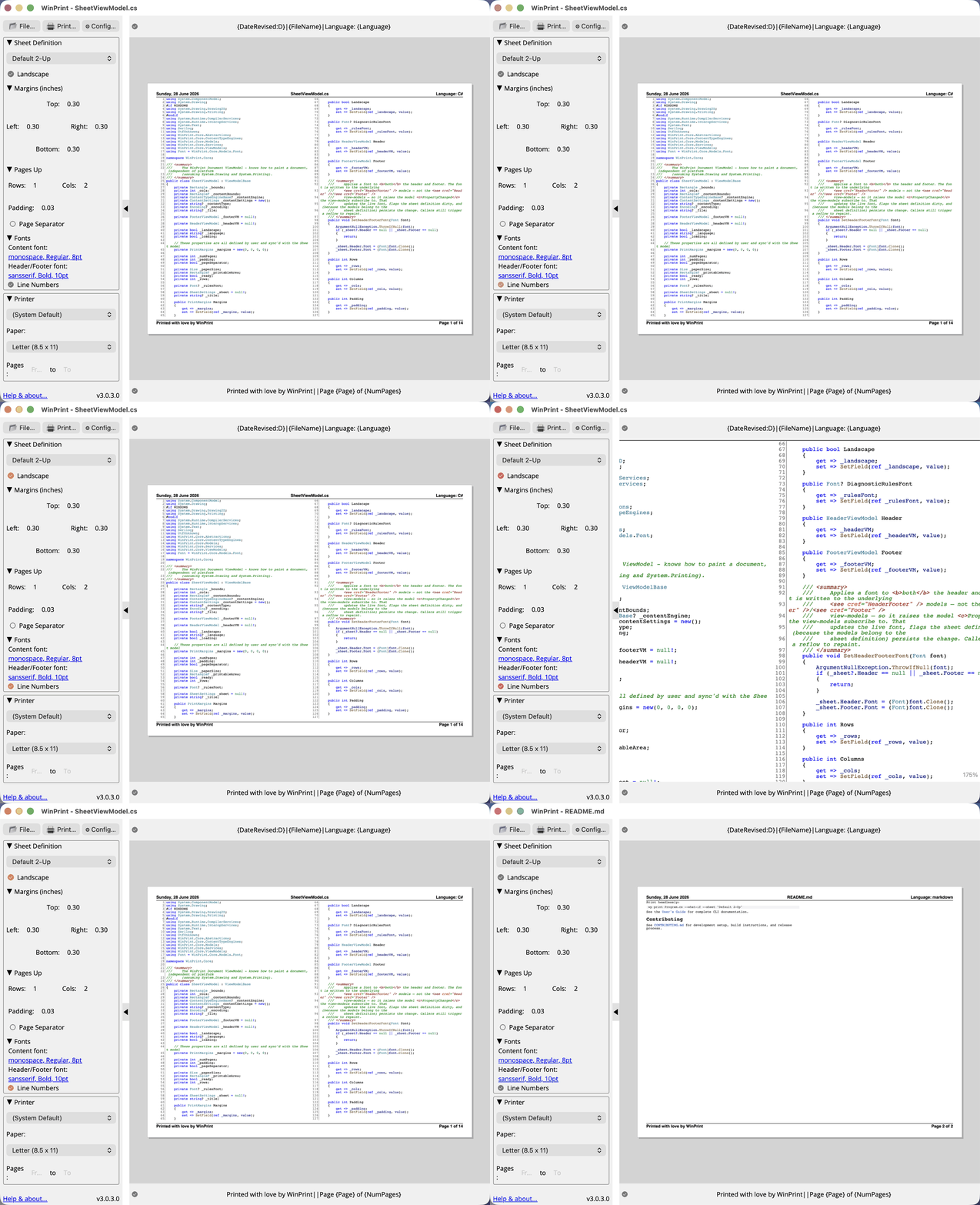
- Accurate print preview in the GUI and TUI.
wpprovides a rich command line interface (CLI) on Windows, macOs, and Linux- Comprehensive logging.
See User’s Guide for more details.
Terminal UI (wp)
Graphical UI (wp gui)
Turn Markdown into a PDF
One command, every platform. Markdown goes in; a formatted, paginated PDF comes out: headings, lists, tables, images, syntax-highlighted code, and ` ```mermaid ` fences rendered as real diagrams (fully in-process by default — no network — or via mermaid.ink with the opt-in service backend):
wp print mermaid.md --pdf mermaid.pdf --sheet "Proportional 1-Up"
Prefer a real print queue? Point --printer at any print-to-PDF queue instead:
# Windows — the built-in "Microsoft Print to PDF"
wp print mermaid.md --printer "Microsoft Print to PDF" --sheet "Proportional 1-Up"
# macOS — install a virtual PDF printer once (brew install --cask rwts-pdfwriter), add it in
# Printers & Scanners named "CUPS-PDF"; the PDF lands in /var/spool/pdfwriter/$USER/
wp print mermaid.md --printer "CUPS-PDF" --sheet "Proportional 1-Up"
# Linux — sudo apt install printer-driver-cups-pdf (queue name "PDF" on Debian/Ubuntu;
# confirm with lpstat -p; Fedora is often "Cups-PDF"). PDF lands in ~/PDF/
wp print mermaid.md --printer "PDF" --sheet "Proportional 1-Up"
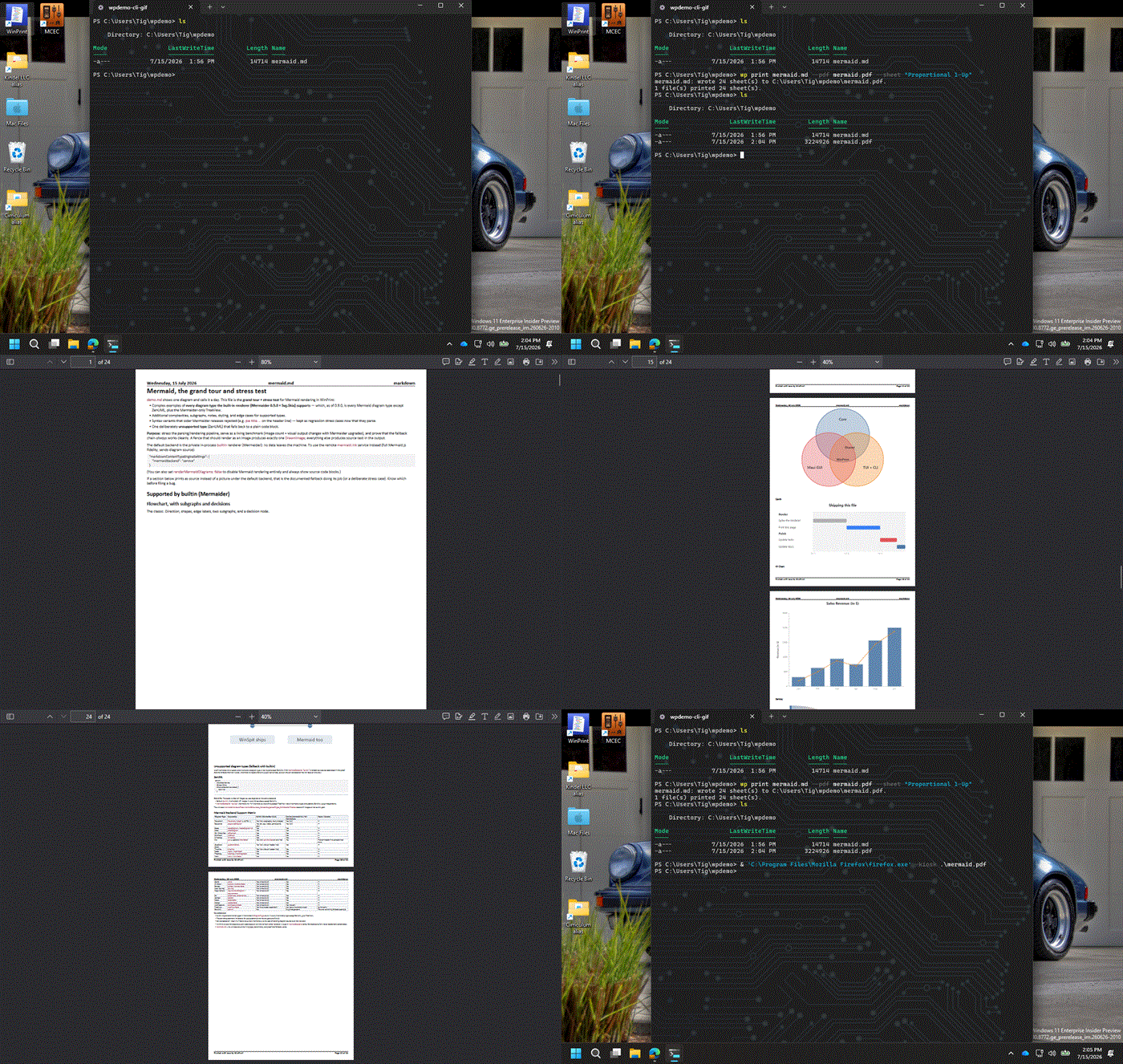
The GIF is recorded on Windows; the macOS and Linux commands produce the same PDF. On Linux prefer --pdf when you only need a file — stock cups-pdf may re-encode through Ghostscript; mermaid rasters still survive. Full Linux/WSL CUPS setup (network IPP printers, WSL vs Windows queues): linux.md.
Quick Start
# Install (Windows) — winget gives you the GUI + `wp` TUI in one command
winget install Kindel.WinPrint
# (or download Kindel.WinPrint-win-x64-Setup.exe from the latest GitHub release)

# Install (Mac) — GUI cask, which also bundles the `wp` TUI
brew tap kindel/winprint && brew install winprint
# Want only the `wp` CLI (no GUI)? Install the formula instead — pick one, they collide:
#   brew install kindel/winprint/wp
# The .app is Apple Developer ID-signed and notarized, so Gatekeeper accepts it normally.

# Open a file in the TUI
wp program.cs

# Pass print preview options
wp Program.cs --printer "Microsoft Print to PDF" --sheet "Default 2-Up"

# Launch the GUI on Windows or macOS
wp gui

# The GUI can also be run from the Windows Start Menu or Spotlight on the Mac after installing
History
See About for the full history of WinPrint.
For the latest changes, see the GitHub Releases page.